


From paying for groceries to splitting a restaurant bill, UPI has become part of everyday life in India. A quick scan or a few taps can transfer money within seconds. But the same convenience can also be exploited by fraudsters. Scammers may use fake QR codes, phishing links, fake customer-care numbers, fraudulent payment requests, impersonation or social-engineering tricks to convince people to authorise transactions. The Reserve Bank of India has repeatedly warned users not to share sensitive information such as UPI PINs, OTPs and passwords, while NPCI has also run awareness campaigns around common digital-payment fraud techniques. The good news is that many scams can be avoided by following a few basic rules..
1. Remember: You Don't Need a UPI PIN to Receive Money

One of the most important UPI safety rules is simple:-
You do not need to enter your UPI PIN just to receive money. If someone tells you that you need to enter your UPI PIN to "receive" a refund, prize, salary, cashback or payment, stop and verify the transaction. Your UPI PIN is used to authorise a payment or other transaction that requires authentication. Never enter it simply because another person is asking you to do so.
2. Be Careful When Scanning QR Codes
A QR code itself is not automatically safe just because it appears on a familiar-looking poster, message or screen. Before authorising a transaction, check the payment details displayed by your UPI app..
Ask yourself:-
- Who are you paying?
- Is the name correct?
- Is the amount correct?
- Did you actually intend to make this payment?
NPCI's UPI guidelines require merchant QR codes to follow prescribed branding and deployment requirements, but users should still verify the payment details before authorising a transaction..
A useful rule
Scan only when you intend to pay.
Do not scan a QR code simply because someone says it will "activate" a refund, receive money or verify your account.
3. Don't Approve an Unexpected Collect Request
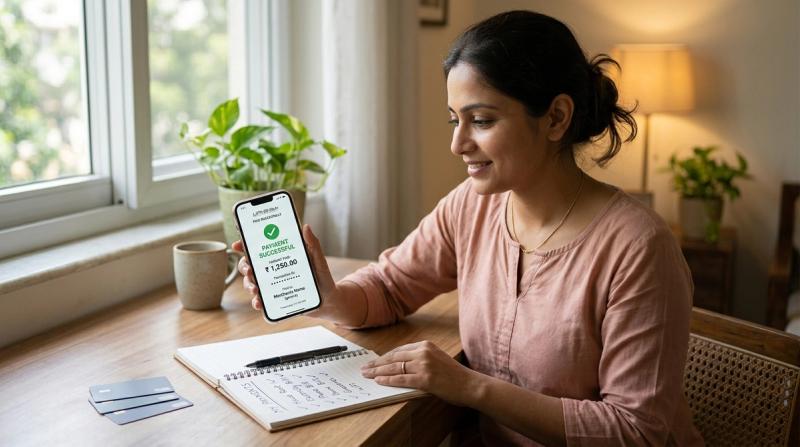
UPI can be used for payment requests, so a request appearing in your app does not automatically mean you should approve it.
If you receive an unexpected request, check:-
- Who sent it?
- Why are they requesting money?
- Is the amount correct?
- Were you expecting the request?
If the answer is unclear, decline it. NPCI has previously required UPI apps to provide users with additional payment-confirmation information before transaction authorisation, including an indication that the account will be debited.
4. Never Share Your UPI PIN

Your UPI PIN is private. A genuine bank representative, payment app employee or customer-care executive should not ask you to disclose your UPI PIN.
Do not share it over:-
- Phone calls
- SMS
- Social media
- Screen-sharing sessions
The RBI specifically advises users not to share PINs, OTPs and other critical payment information with anyone.
5. Never Share an OTP Just Because Someone Sounds Official
Fraudsters may introduce themselves as bank employees, police officers, customer-care representatives, delivery agents or representatives of a financial company. They may create urgency by saying your account will be blocked or a transaction will fail unless you provide an OTP.
Don't do it. If an OTP arrives that you did not request, check your bank or payment app immediately and investigate why it was generated. The RBI's fraud-awareness material specifically warns about OTP-based fraud and recommends checking SMS or emails for unexpected OTP activity..
6. Don't Click Suspicious Payment Links
A scammer may send a message containing a link that claims to offer:-
- A refund
- Cashback
- A prize
- A job opportunity
- A KYC update
- A bank-account verification
- A payment failure solution
The link may lead to a fake website designed to collect your credentials or convince you to install malicious software. The RBI has specifically warned about fraud methods involving links received through messages and emails, as well as fake applications that can access sensitive information. Instead of clicking the link, open your bank or payment app directly through its official application..
7. Be Suspicious of Fake Customer-Care Numbers

Searching for customer support online can sometimes lead users to fake numbers posted on unofficial websites, social-media accounts or comment sections..
A scammer may pretend to be customer support and then ask you to:-
- Share an OTP
- Reveal your UPI PIN
- Install an app
- Share your screen
- Transfer money for "verification"
For banking or payment-related assistance, use the contact details available through your bank's official website or official app. The RBI advises consumers to use official websites or contact their bank directly when seeking financial-service information..
8. Don't Install Apps Suggested by Unknown Callers

A fraudster may tell you to install a particular application to solve a payment problem or receive a refund. Be extremely cautious. Unknown applications can potentially expose sensitive information or give attackers access to your device. The RBI has specifically identified the downloading of spurious apps as one of the methods used in digital-payment fraud. Never install an app simply because someone calling you claims it is necessary for a refund or payment verification..
9. Be Careful With Screen Sharing

Some scammers ask victims to download remote-access or screen-sharing applications. They may then try to watch what happens on the phone while the victim opens a banking or payment application. Never give an unknown person remote access to your phone, especially while you are using banking or UPI applications. If you need technical assistance, use official support channels..
10. Verify the Recipient Before Paying

A simple mistake can also become expensive. Before pressing the final payment button, check the recipient's name and the amount shown on the screen.
This is particularly important when:-
- Paying a new contact
- Sending a large amount
- Paying a business for the first time
- Transferring money after receiving a phone call
- Copying a UPI ID from a message
Taking a few seconds to verify the details can prevent an avoidable transfer..
11. Don't Let Anyone Create Artificial Urgency
Scammers often try to make people act before they have time to think..
Typical messages may sound like:-
"Your bank account will be blocked in 10 minutes."
"Your refund will expire today."
"Send the payment now or your order will be cancelled."
"Tell me the OTP immediately."
Urgency is a common social-engineering tactic. If someone is pressuring you to make a financial decision immediately, stop the conversation and verify the claim independently.
12. Use Only Official UPI Apps and Keep Them Updated
Download payment applications from legitimate app stores and keep your phone's operating system and payment apps updated. Updates can include security fixes and improvements. Also use a strong device lock and avoid leaving your phone unlocked around people you do not trust..
13. Check Your Bank Alerts Regularly
Don't ignore SMS, email or app notifications related to your bank account.
If you notice a transaction you do not recognise, investigate it immediately.
Regularly checking your account also makes it easier to notice unusual activity quickly.
14. What to Do If You Think You Have Been Scammed
If you accidentally authorised a fraudulent UPI transaction, act immediately.
Step 1: Contact Your Bank
Inform your bank or payment service provider as soon as possible and report the unauthorised transaction.
Step 2: Report the Fraud
Use the appropriate official financial-fraud reporting channels available in India and provide the transaction details.
Keep information such as the transaction ID, amount, date and screenshots ready.
Step 3: Secure Your Accounts
If you believe your credentials have been compromised, contact your bank and follow its instructions to secure the account and payment services.
Change compromised credentials where appropriate.
Step 4: Preserve Evidence
Don't delete relevant messages, emails, phone numbers, screenshots or transaction information.
These details can be useful when reporting the incident.
UPI Safety: 10 Rules to Remember
If you don't want to remember the entire guide, remember these ten rules:
- Never share your UPI PIN.
- Never share OTPs with callers.
- You don't need a PIN to receive money.
- Check the recipient before paying.
- Don't approve unknown payment requests.
- Don't scan random QR codes.
- Don't click suspicious payment links.
- Don't install apps suggested by strangers.
- Don't give strangers remote access to your phone.
- Report suspicious transactions immediately.